


Booking Guide

EZY 5 steps booking online this reservation guide will make the process easy and quickly. Follow our steps below.
| Step 1 | Book Now! |
| Fill in your requirement in the booking box | |
| Step 2 | Car & Rate |
| Choose and select vehicle from the list | |
| Step 3 | Options |
| Choose any accessories. It’s for your benefit and convenience such as child set, GPS navigator safe guard. After finish selecting, click continue. |
|
| Step 4 | Summary |
| Complete your booking and registration by providing your personal information. Please also attach your passport and driving licence to verify your booking and read Ezy Rent A car's terms & conditions carefully. | |
| Step 5 | Provide your credit card details and submit. |
| Booking is completed once the payment has been processed through online secured payment gateway. Please print out your reservation voucher and present it to Ezy Rent A Car staff |
Ezy Booking 5 Steps 5 minutes
Step1 : Book Now
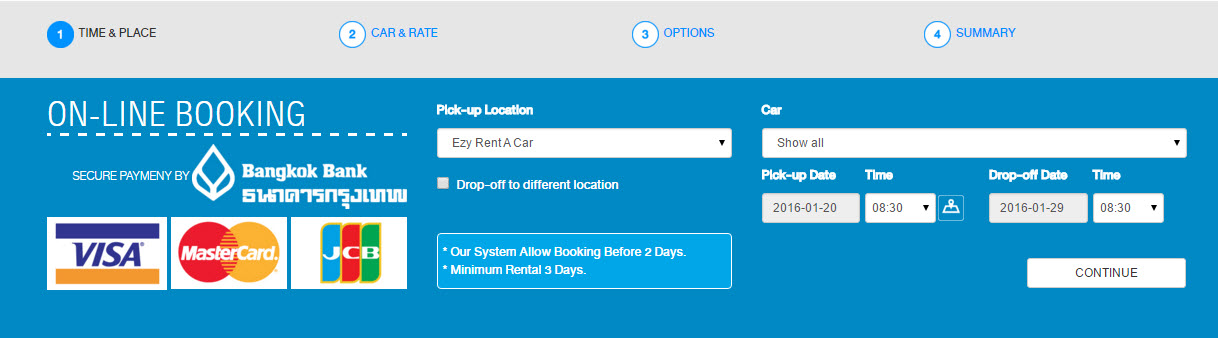
Fill in your requirement
Choose place, date & time for pick up & drop off
Step2 : Car & Rate
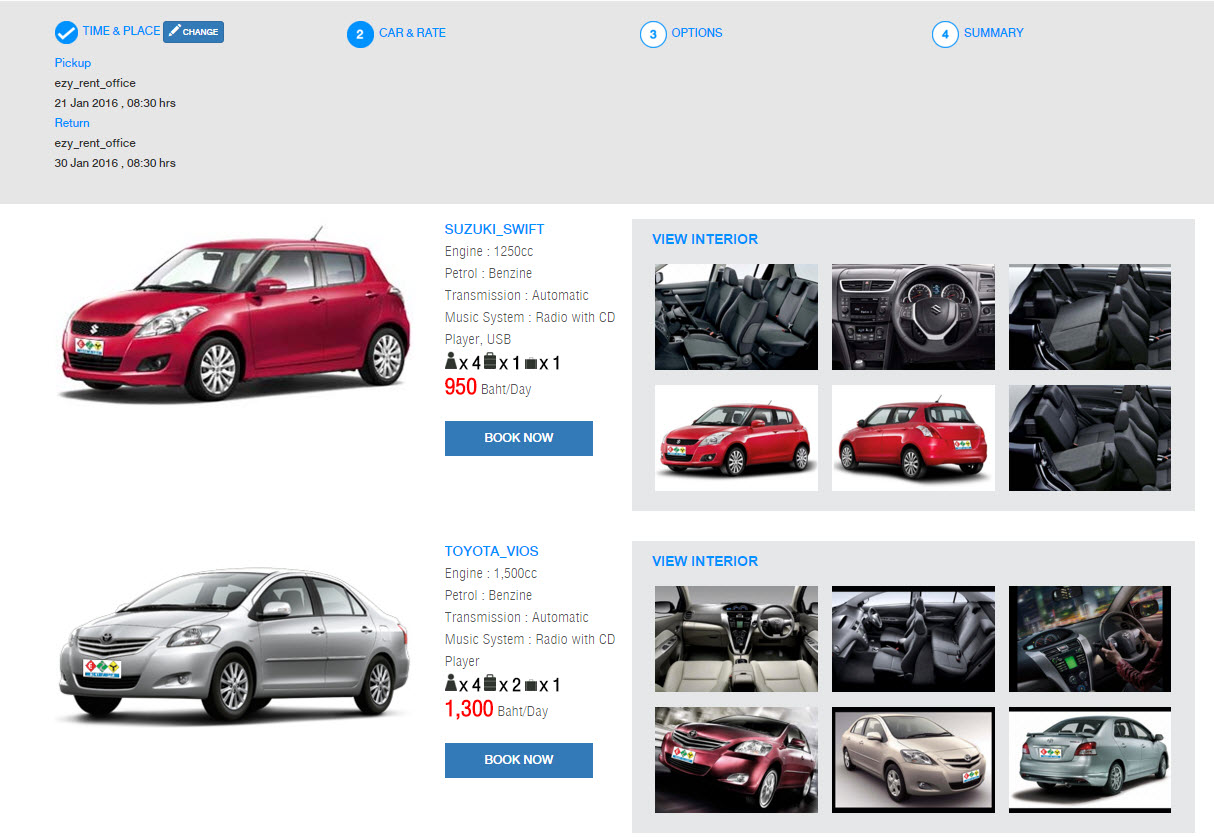
Step 3: Option

Furturemore, we offer extra optional, e.g. child seat, GPS Navigator and Safe Guard Package.
Step 4: Summary
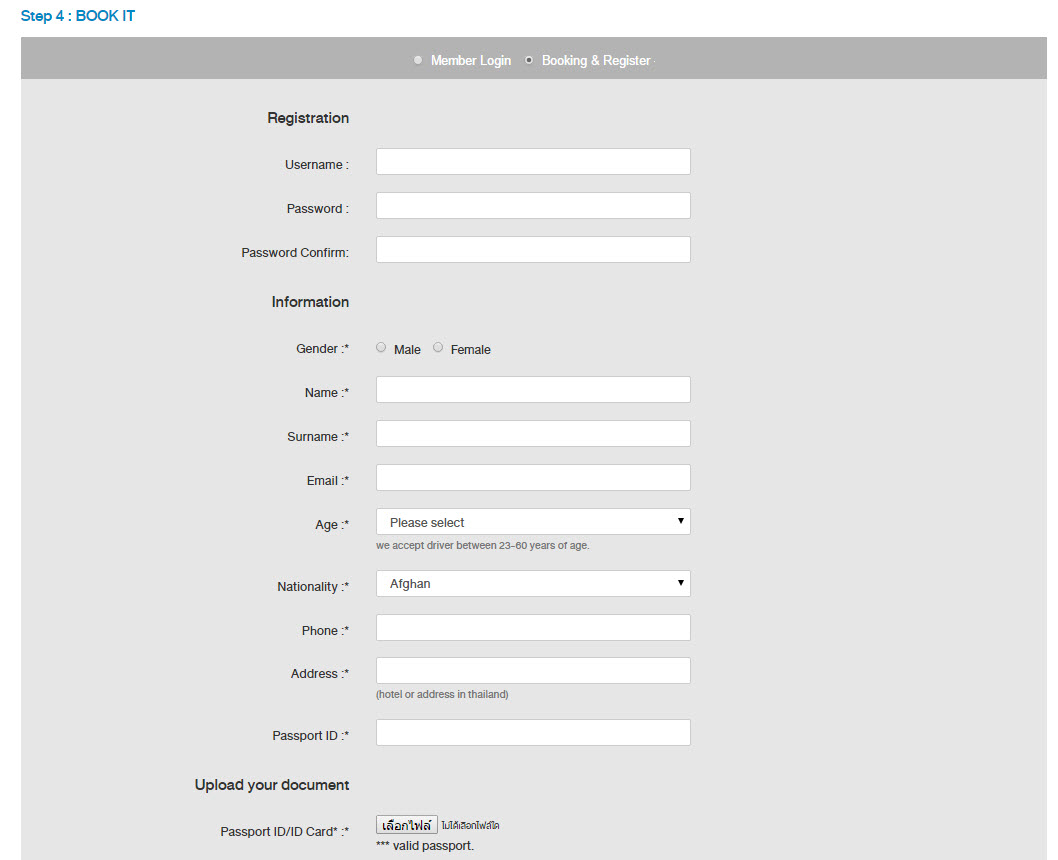
Please fullfill your information and you can re-check your reservation before make payment.

Step 5: Inform your credit card details and submit

Vehicle reservation will only be completed after payment is made and received Confirmation Voucher from Ezy Rent A Car. If you cannot verify your credit card please read How to verify by credit card
- Enjoy Driving in Thailand -
Subscripe Newsletter
EZY RENT A CAR
CAR RENTAL BANKOK, THAILAND
Ezy Rent A Car (Bangkok Car Rental Company) We provides car rental services in Bangkok, Thailand. Our Bangkok car rental services includes: Bangkok car rental for short-term, Bangkok car rental for long-term, Bangkok car rental for personal, Bangkok car rental for corporate. We are The Best Car Rental Company in Bangkok, Thailand.

- Hotline: 0819852311, 0860577197
- Tel: +66 2 000 2427
- Fax: +662 954 2406
- Email: info@ezyrentacar.com
- Address: 226 Phaholyothin Rd. Samsennai Phyathai Bangkok 10400 Thailand
Copyright ® 2024 Ezy Rent a Car.com All right reserved.